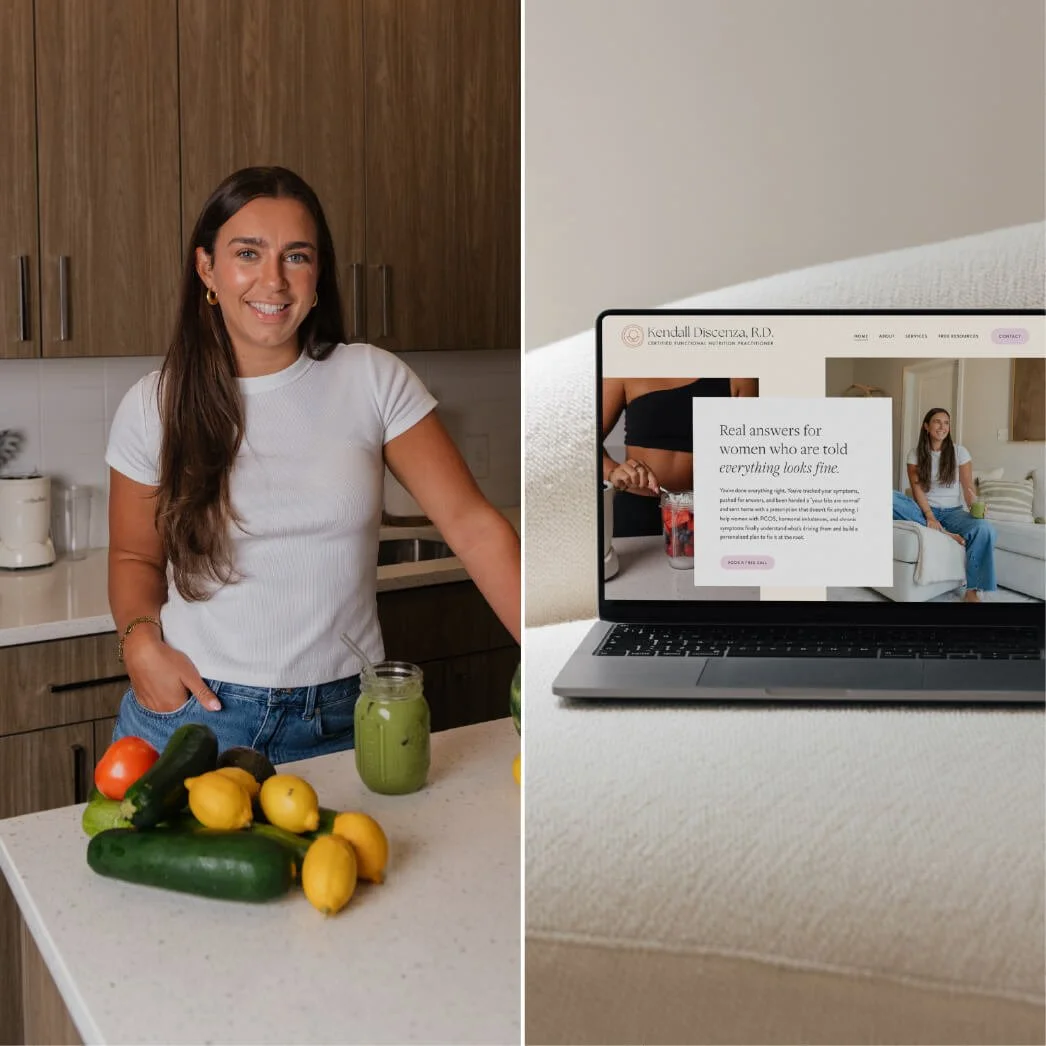
Case Study: How a Nutritionist & Coach used a Squarespace Website Template
Published May 2026
When you’re first starting out as a Nutritionist, Dietitian or Health Coach, your website doesn’t need to be overly complicated. It just needs to feel clear, professional, and trustworthy.
As a brand and website designer, who has worked with over 300+ brands in varying degrees of business stages, I’ve come to loveee supporting that early stage business owner. Helping the woman who has the education, the skills, the passion but is just lacking the marketing know-how is one of my favorite things here at Sundai Studio.
That’s why I created the Website Templates in my shop — I wanted to provide the very best website foundation for new business owners, at an affordable price point.
This blogpost is a single case study about how one Nutritionist chose the website template path and launched her new business! If you’re new in business, and on the search for a website design solution, you’re in the right place. If she can do it, you can too!
Now, let’s dive in! ✨
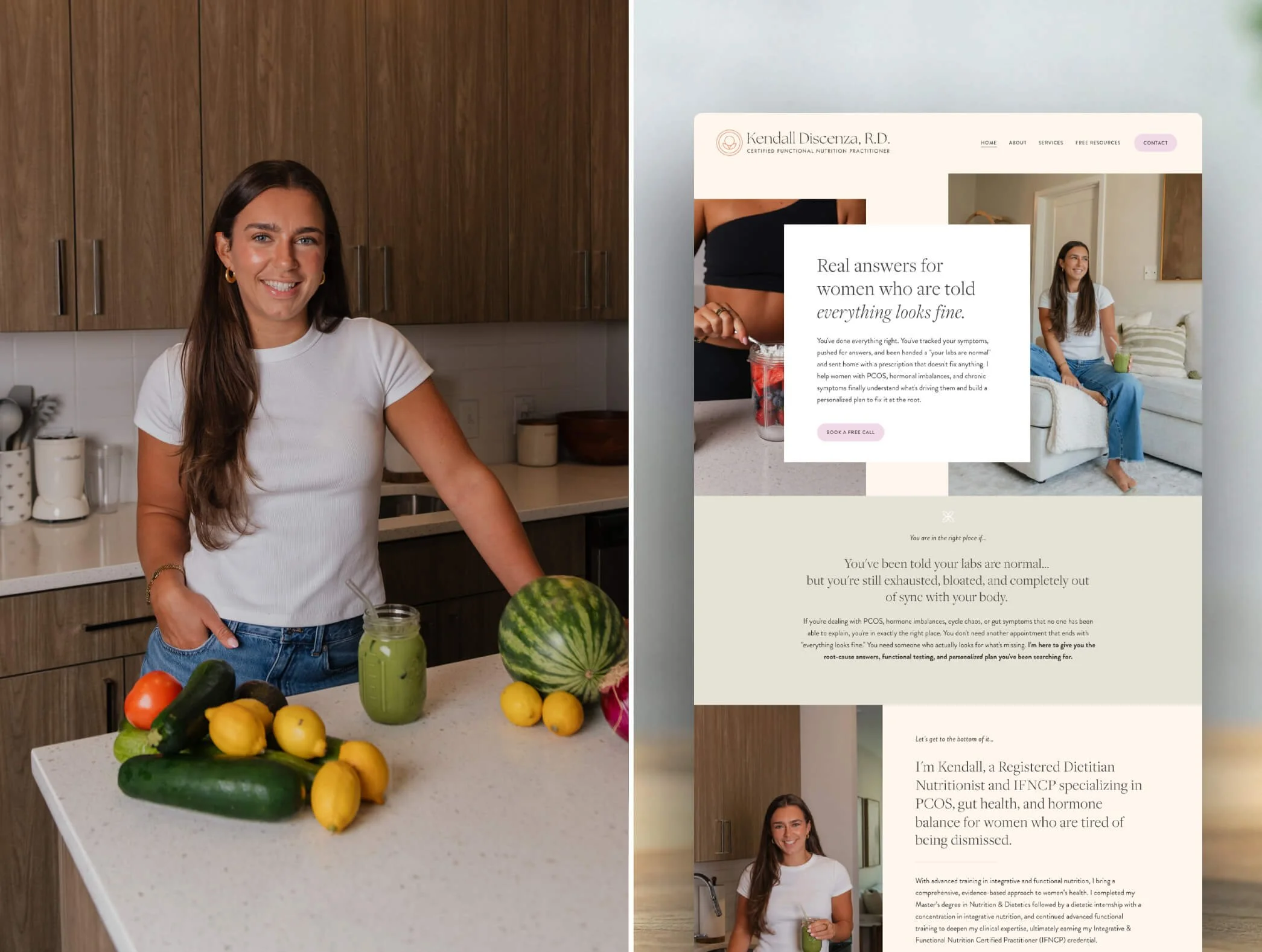
Meet Kendall Discenza: A Registered Dietitian in the DC area.
Kendall is a Certified Functional Nutrition Practitioner with a love for fitness, food, horseback riding, skiing, and reading.
She is so warm, kind and seriously skilled so it was an honor to welcome her as a Template Customer first and then later as a Design Day client (I’ll get to that in just a bit 🤠).
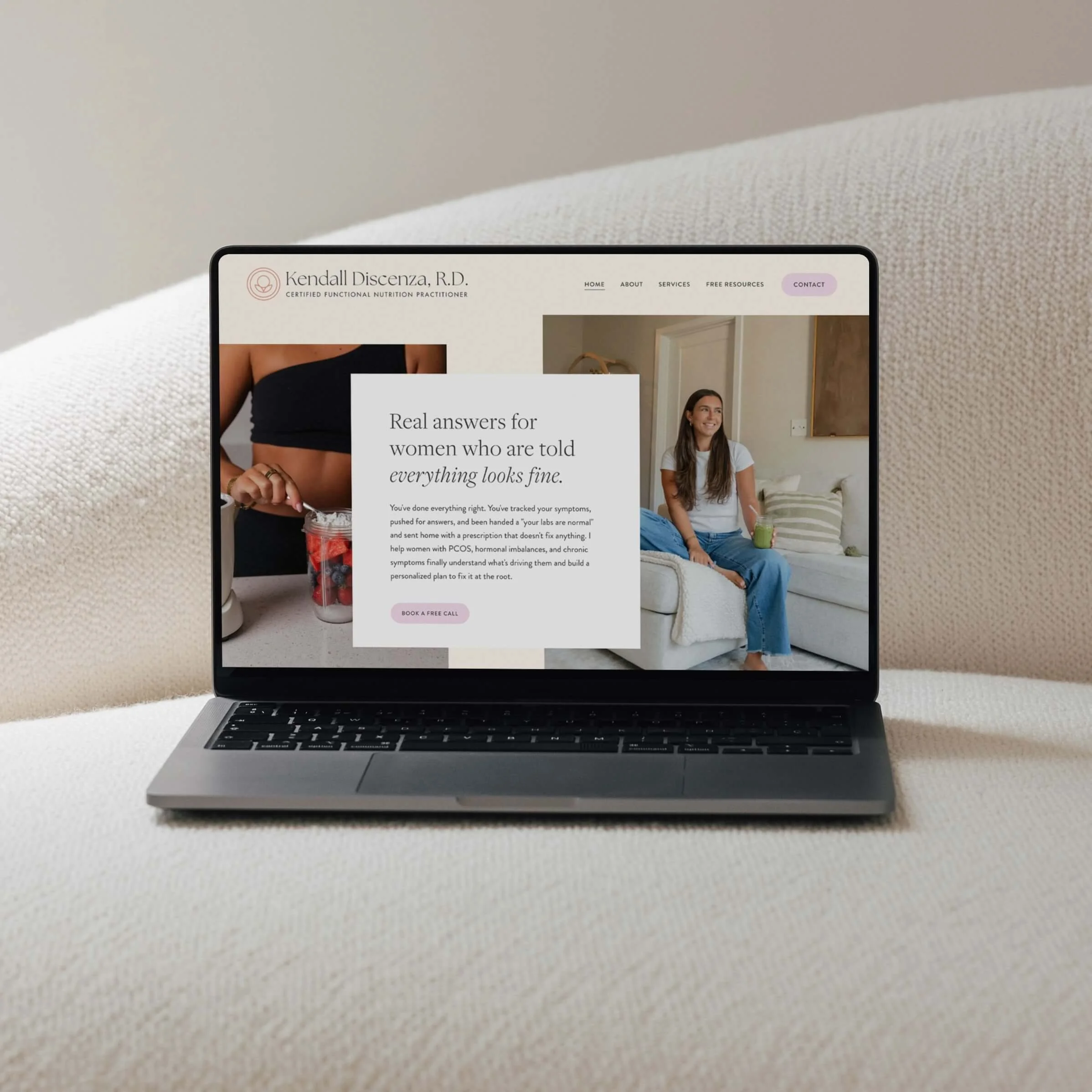
She chose the Fiona Website Template for her new business.
In early 2026, Kendall was on the hunt for a brand and website solution for her new business.
Through a past client of mine, she stumbled on my work and website and was intrigued by the website templates in my shop.
At the time, Kendall was also working full-time, so choosing a semi-DIY option simply made sense for this season of life and business. Like most of my website template customers, she wasn’t in a rush to launch overnight, and she was willing to roll up her sleeves and do some of the work herself in exchange for saving on cost.
A good website template doesn’t just give you a beautiful design. It helps you envision what your business could become.
It creates structure, clarity, and room for growth before you even know exactly what that growth will look like.
In addition to the core pages (home, about, services, contact), when exploring the Sundai Studio Website Templates you may notice features like a blog, a podcast, a shop page, a space for a Free Resource (like a digital download).
Those may not necessarily be things you plan to use right away, but you may be able to see yourself growing into them in the future. And having those features ready-to-go, ready for you, saves you tons of hours down the road! 🥳
Kendall ended up choosing the Fiona Website Template Kit for her brand and website design.
This particular template is feminine and hopeful - A perfect match for someone in the health and wellness space who is helping clients finally feel good in their bodies!
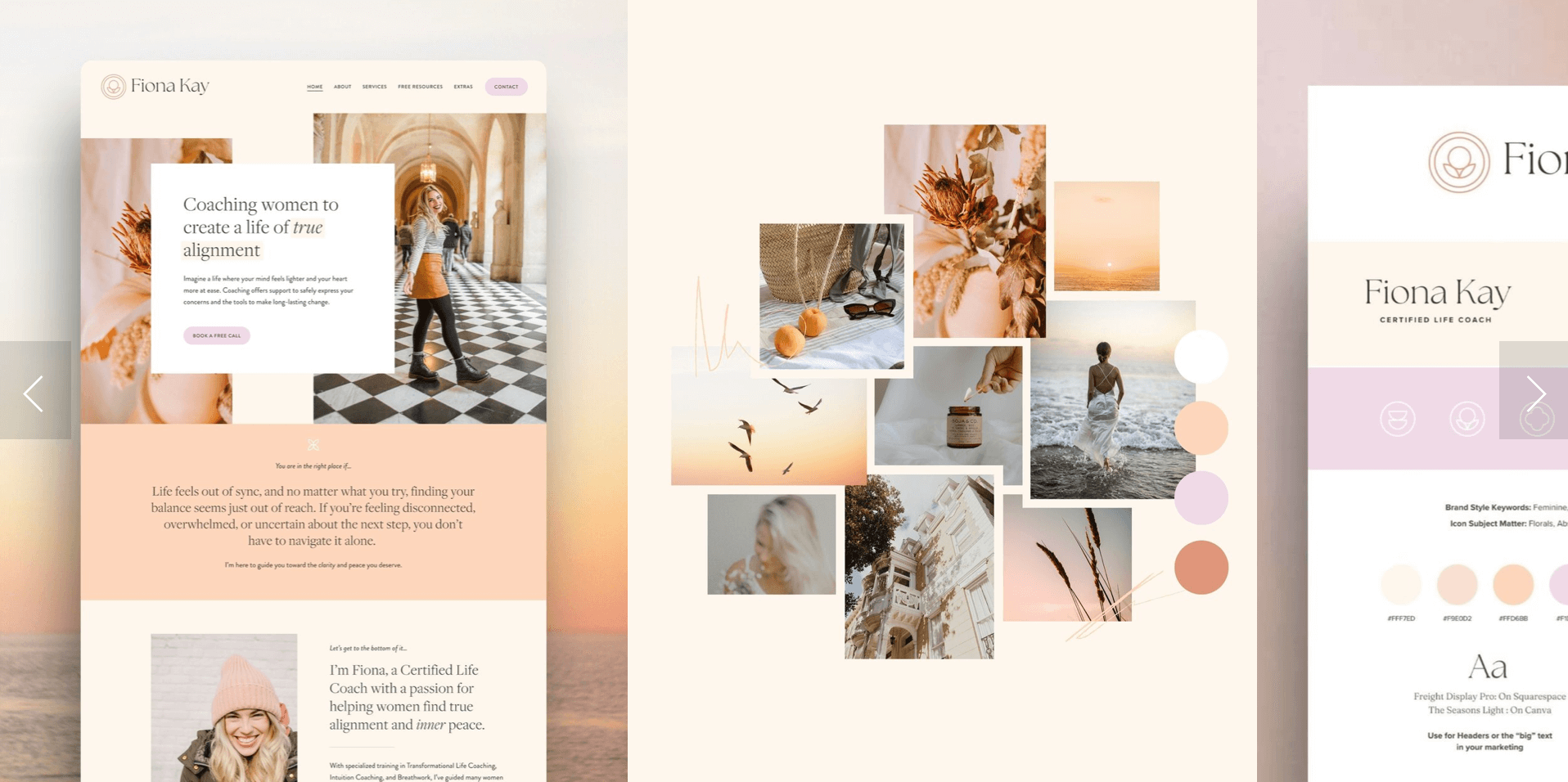
Kendall chose the Fiona Website Template for her new business.
She started building her squarespace website and decided to get more support.
Once Kendall purchased the Fiona website template, she was immediately enrolled in my Teachable course where I walked her through the process of creating her website step-by-step.
One of the very first resources inside the course is the Copywriting Prompt Document. This is a Google Doc that mirrors the website template page by page, helping the writing process feel far less overwhelming. 🤓
STEP 1: Kendall wrote her copy using the provided Copywriting Prompts.
Inside the Copywriting Prompts document, you’ll find prompts for homepage headlines, about page copy, testimonials, service descriptions, calls-to-action, and more.
If you’ve ever stared at a blank Squarespace template wondering what to say or where to begin, you know how frustrating that process can feel - These Copywriting Prompts Doc are the solution.
The Copywriting Prompt Document helps remove that pressure by giving you structure and guidance from the beginning.
STEP 2: She booked a photoshoot to get new brand photos taken.
Some people already have headshots, but for Kendall getting new photos taken was going to make her feel confident and professional, so she booked her photographer right away.
PS - If you’re struggling with what types of photos to take or what the appraoch should be, I wrote a blogpost to answer those questions: “Brand Photography Tips for every Stage and Budget”.
After receiving her photos, she realized she wanted to make a few small adjustments to the template colors. This is common (and honestly encouraged 🤩). Website templates are meant to become a reflection of your brand.
Kendall realized that some of the bright pink tones in the Fiona template didn’t fully align with her vision, and instead felt much more drawn to a soft sage green. You could clearly see those tones reflected throughout her photography, so it made perfect sense to carry that feeling into the website as well.
All of the Website Templates make changing colors very simple and easy to do! I include video tutorials showing you which buttons to click to change the colors and once you change one color it automatically changes that color across the entire template.
Originally, Kendall planned to fully DIY the website setup herself, and truthfully, she absolutely could have! Many of my template customers choose that route and create beautiful websites using the included resources and course support.
But Kendall, at this stage, was craving more support…
STEP 3: Kendall booked a Design Day to get more support with launching her new website and business.
Since she was balancing a full-time job while starting her business, having someone help bring everything together felt deeply supportive and aligned for this season of life.
It’s a full day (7 hours) of design time that’s customized to your needs and priorities. It’s like having an on-staff designer and creative expert in your back pocket for the day! We can do a lot of different things during a Design Day, but for Template Customers oftentimes this Design Day is used for the technical aspects of website design (aka uploading all copy, images, setting up SEO and make the site officially live!).
We hopped on a 1-hour Strategy Call where we reviewed visuals, messaging, SEO direction, audience alignment, and overall website goals before implementation began.
By the end of our call, I already knew exactly which elements of the template I wanted to customize to bring her vision to life while still maintaining the integrity of the original design.
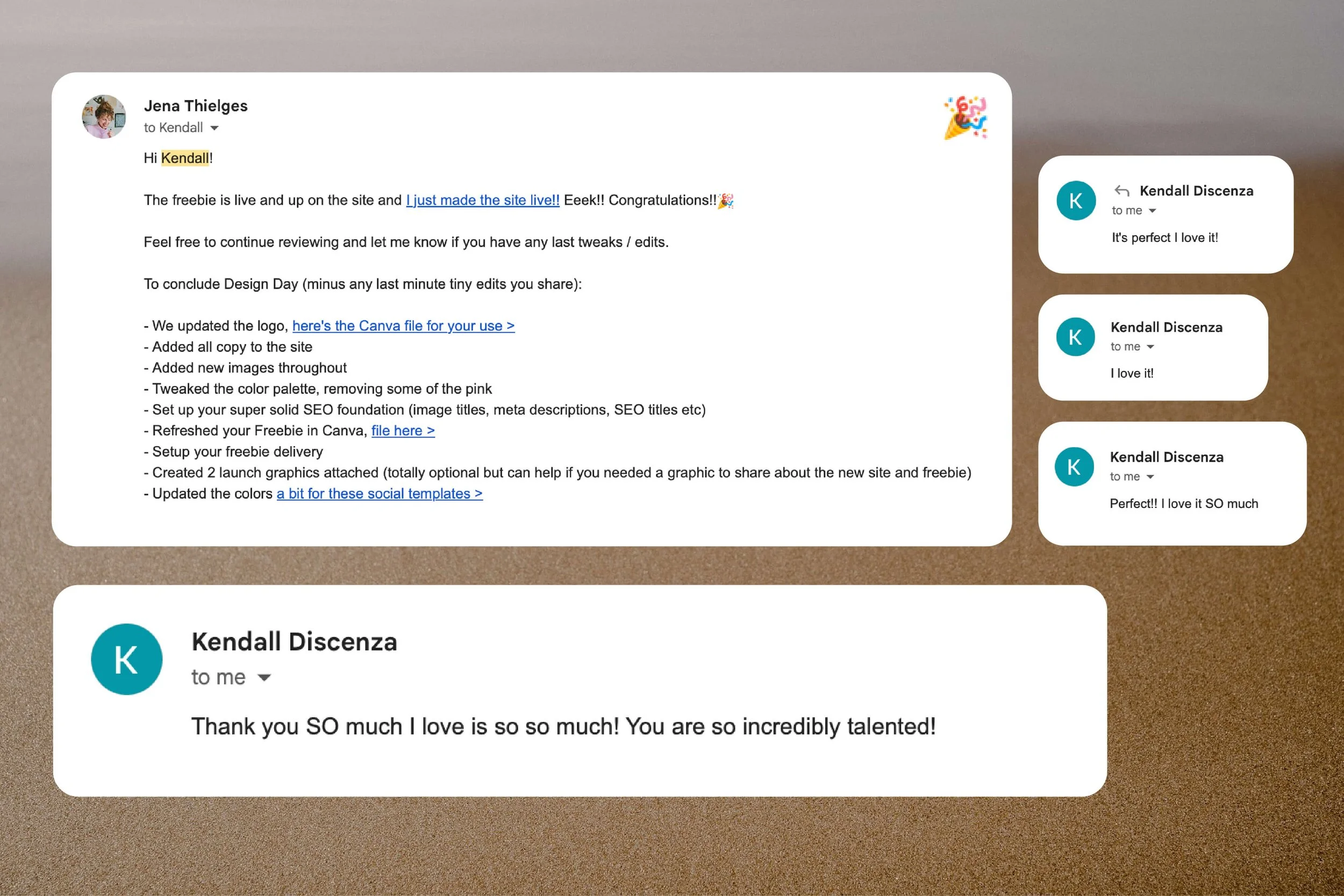
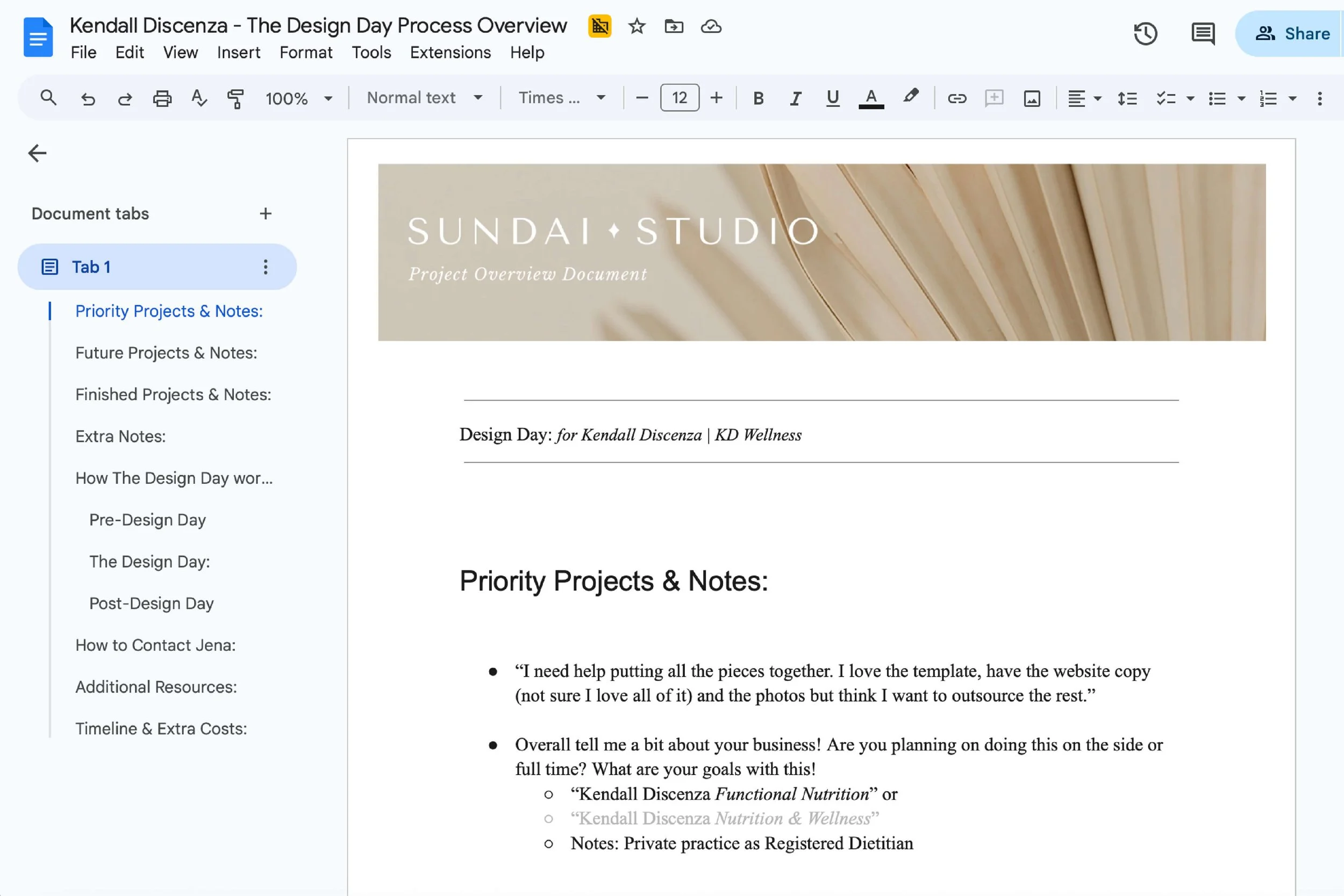
STEP 4: The Design Day was used to edit the website and make it LIVE!
I emailed Kendall that morning to let her know I had everything I needed and would be in touch later that afternoon.
By early afternoon, her website had been completely transformed!
What we accomplished during Kendall’s Design Day container:
I uploaded all of her copy
Integrated her new photography (optimizing and naming her images appropriately)
Updated her logo
Customized the color palette
Implemented her foundational SEO setup
Finalized her Freebie offer and uploaded it to the site (a PDF digital download)
And… we made her website live! 🥳
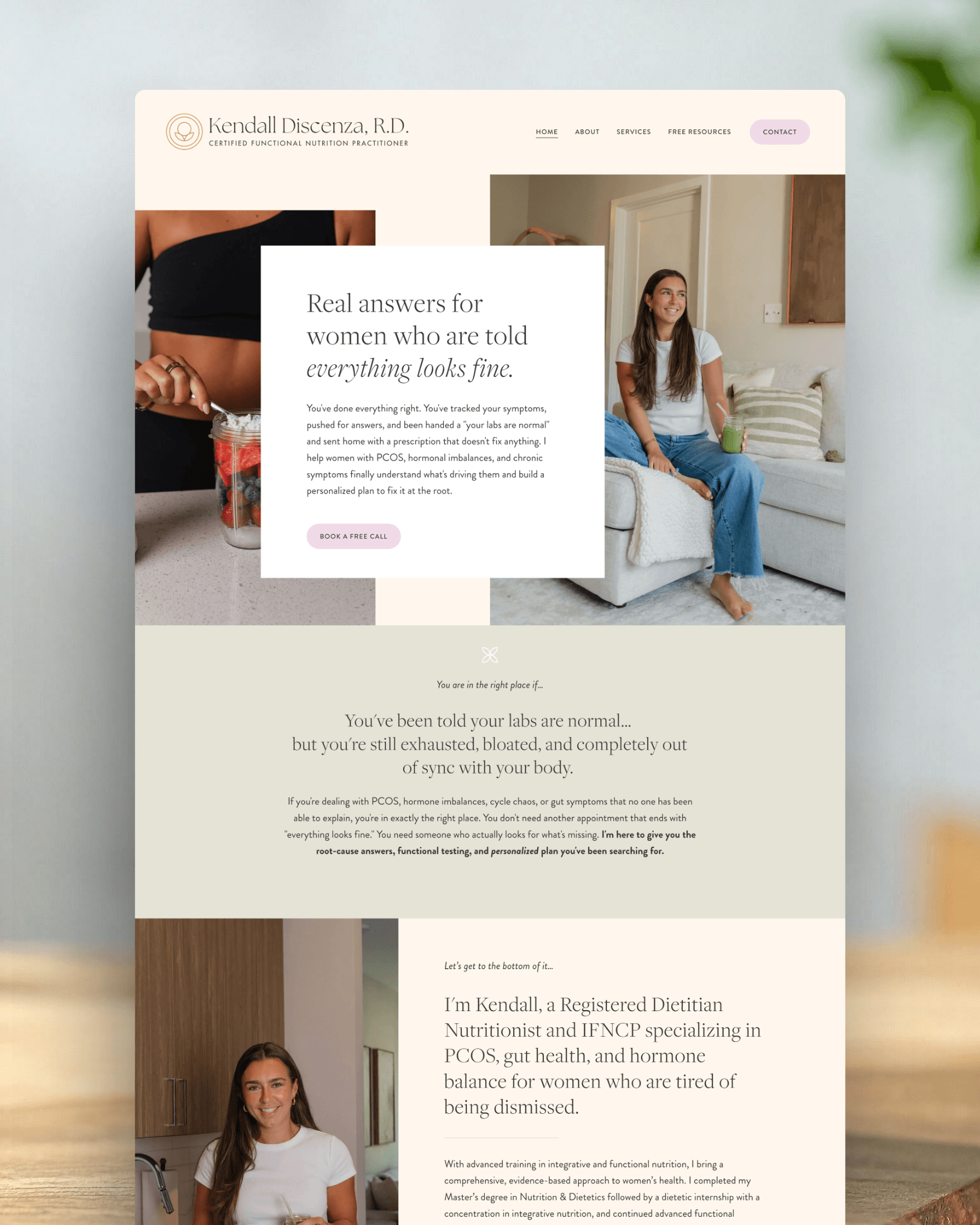
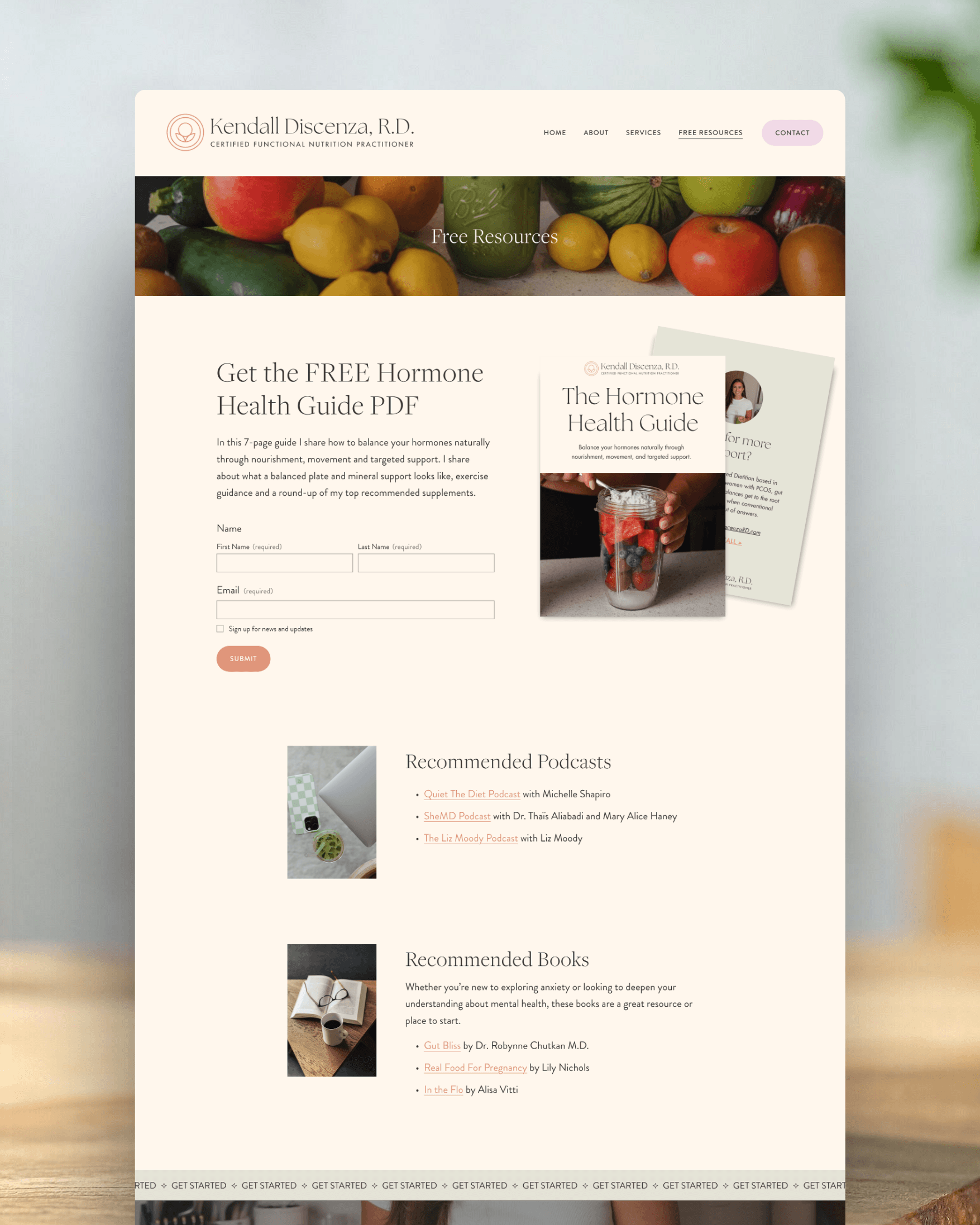
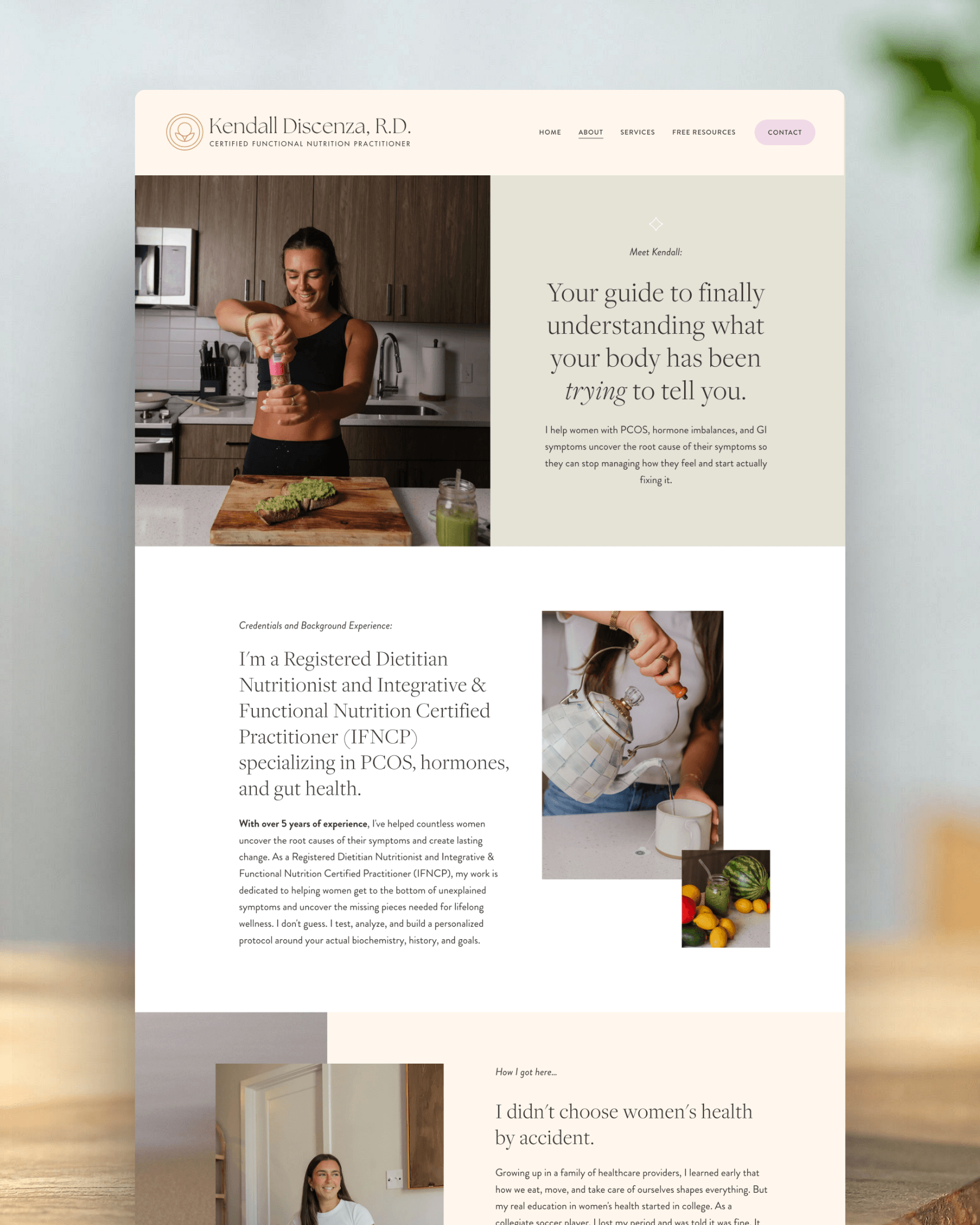

Kendall now has a Website that feels aligned and is ready for clients.
We celebrated not just the launch of a website, but the launch of a business that finally felt real, aligned, and ready to grow with her.
What I think is important about Kendall’s story is that there wasn’t just one “right” way for her to approach her website. ✨
She could have fully DIY’d the process, and many clients do.
But for Kendall, having additional support, accountability, and momentum throughout the process made all the difference.
Booking a Design Day gave her a clear timeline to work toward. New photos gave her the confidence to refine her color palette on the site and show up polished and professional in her marketing. This accountability helped her stay focused on completing her copy, finalizing her freebie, and actually getting the website launched instead of letting it sit unfinished in the background of a busy life.
Not every website template customer chooses this path, and that’s exactly how it should be.
Every business owner has different schedules, budgets, capacities, and support needs. Some people genuinely love the DIY process. Others want more collaboration and hands-on support along the way.
What I love about offering Design Days is that they create space for both. Clients can begin with an affordable website template foundation while still having access to a high-touch support experience when they’re ready for it.
I know a lot of website template designers. And trust me. They DO NOT all offer this level of support. Which honestly breaks my heart a bit.
For many clients like Kendall, that combination of structure, customization, accountability, AND partnership is what finally helps them get their website across the finish line.
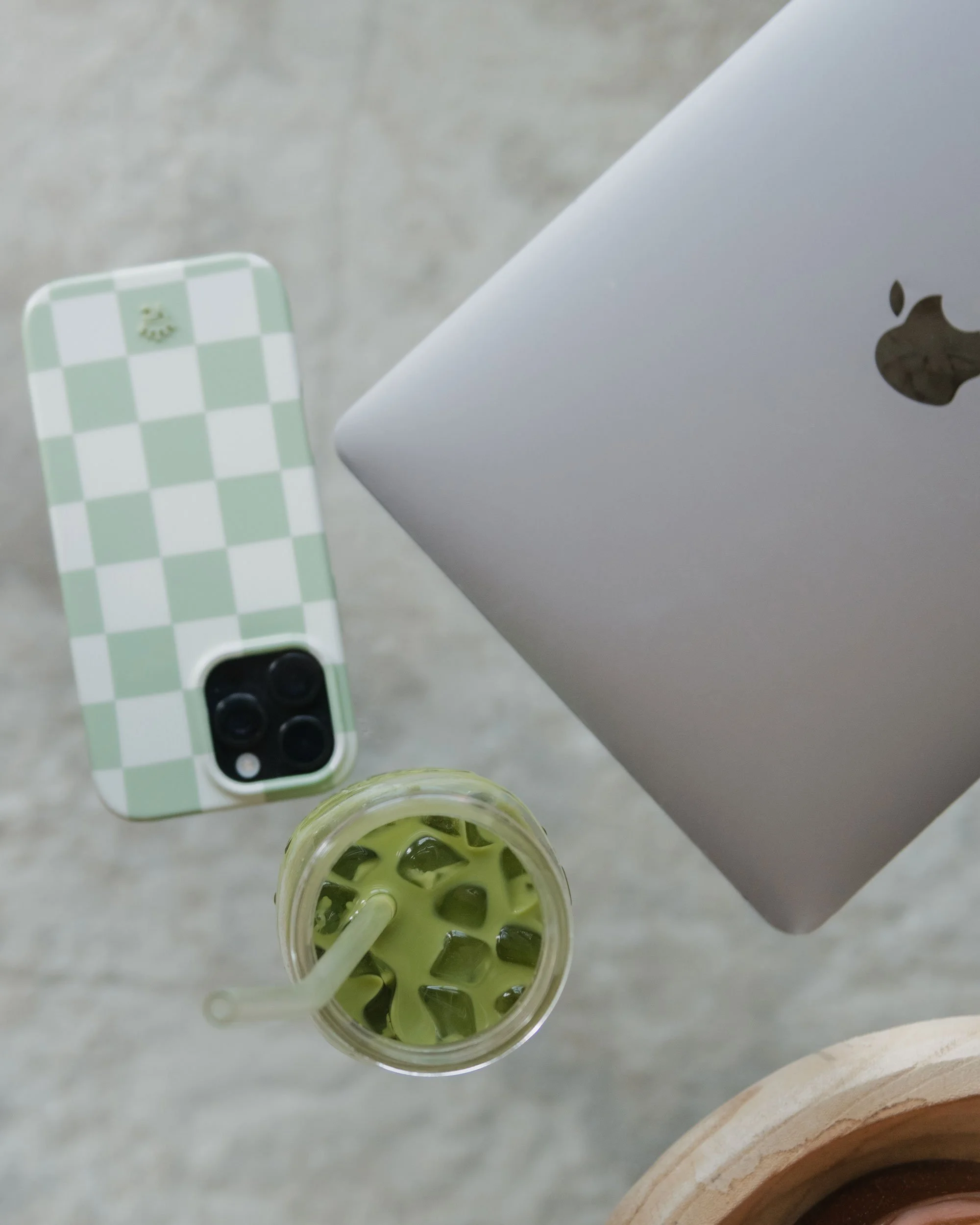
So let’s cheers our matchas to beautiful foundations and LIVE websites! 🍵
** PS - if you’re looking for a Registered Dietitianwho specializes inPCOS, gut health, and hormone balancing, get in touch with Kendall! She is seriously so kind and talented.
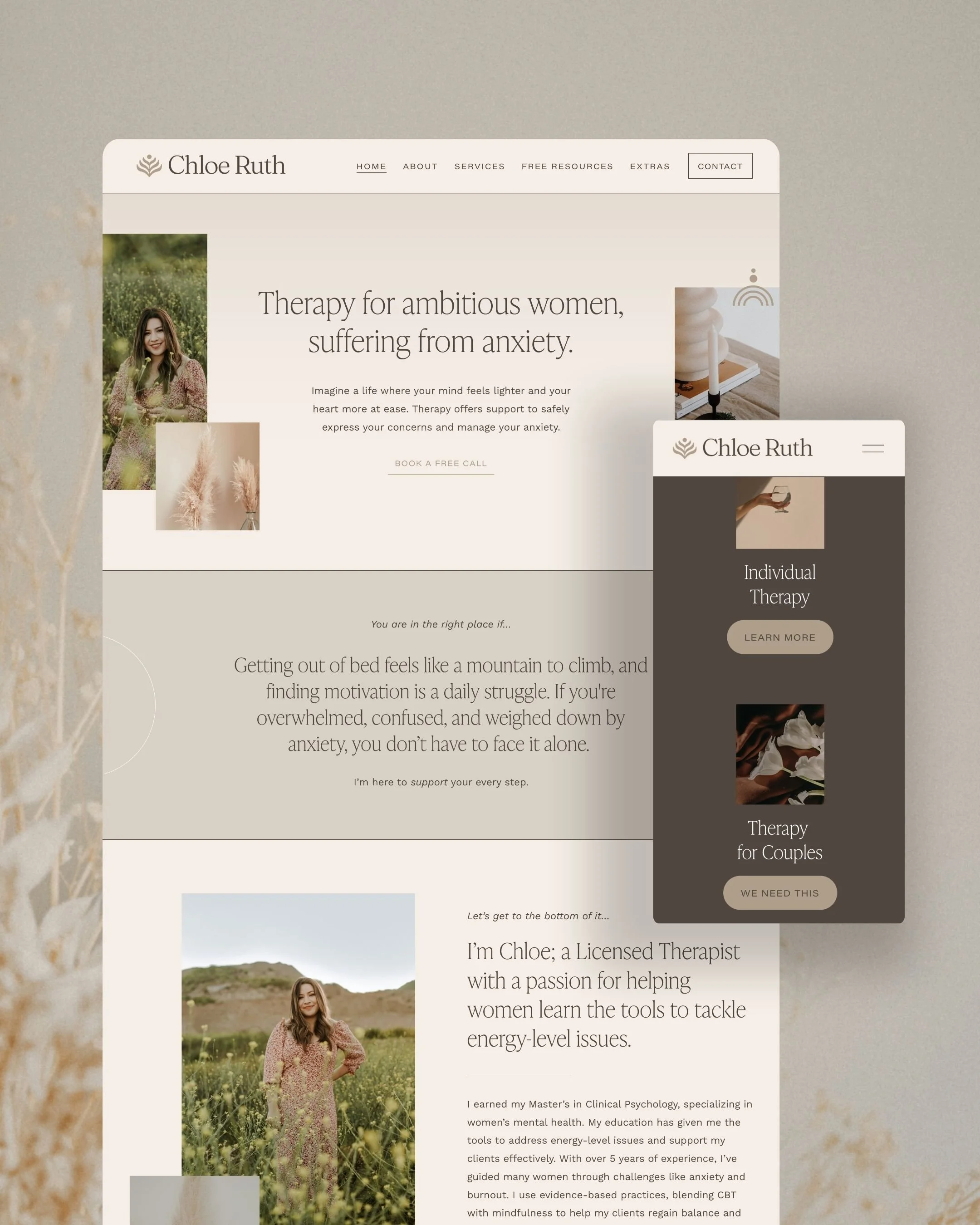
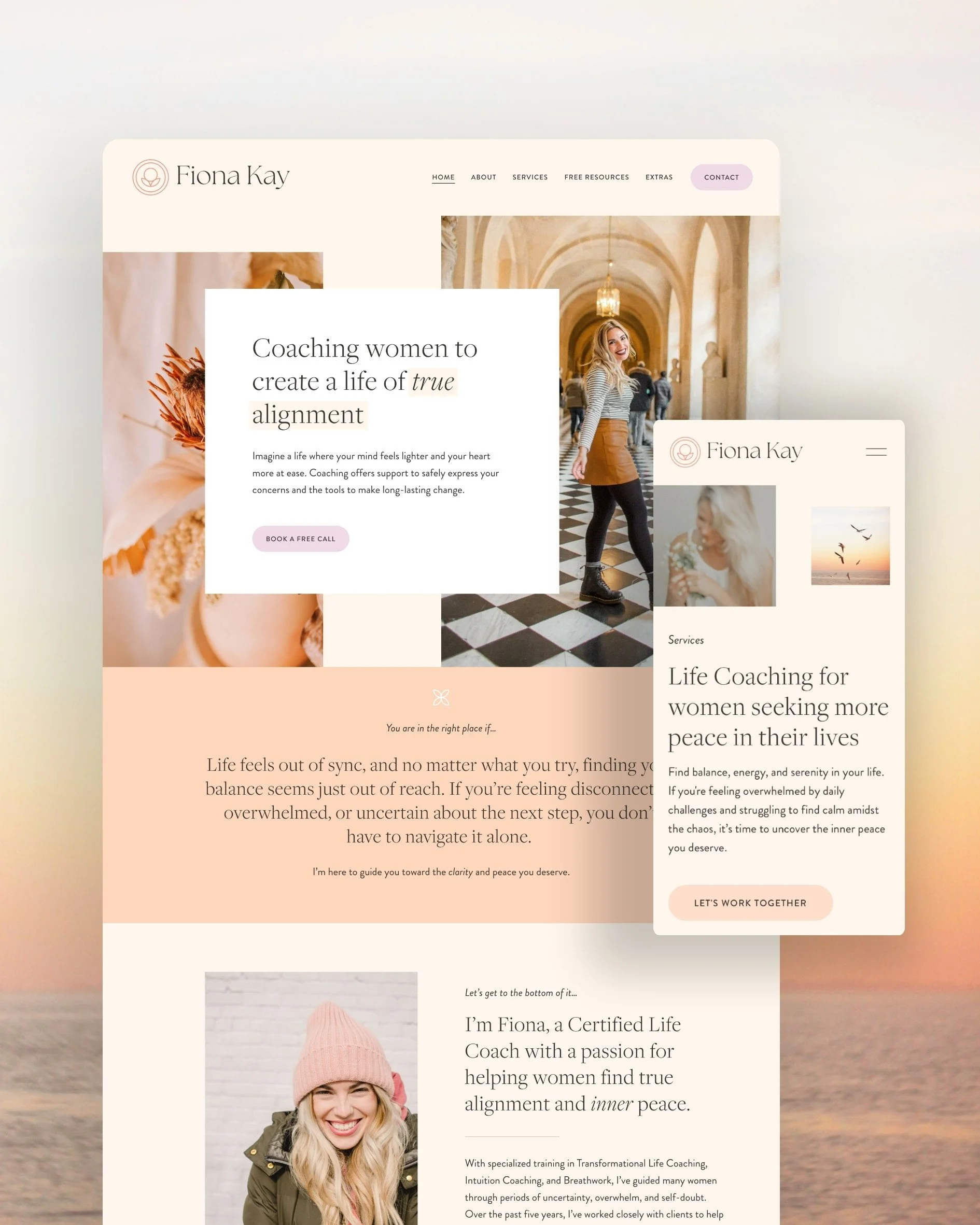
If you’re a health coach or nutritionist, shop the squarespace website templates.
Your first website should create clarity. Clarity about who you help, what you offer and what the call to action is. These templates do just that.
The website templates are built with those foundations, which helps your potential clients trust you! And that trust is what is needed for someone to inquire about working with you.
And now you know, if life changes, and you need additional support bringing your website to life, you can always book a Design Day! 🥳
Frequently Asked Questions About my Squarespace Website Templates
-
Yes. All of the colors inside my website templates can be fully updated and customized within Squarespace using the Site Styles section.
My biggest recommendation is to swap dark colors for other dark colors and light colors for other light colors. Doing this helps preserve the contrast and legibility throughout the design so your website remains polished and easy to read. Of course, you’re free to customize things however you’d like, but following that guideline tends to save a lot of time and keeps the overall design integrity intact.
There are only a couple of small design elements that aren’t directly editable inside Squarespace itself. One of those is your logo, since that’s uploaded as a separate graphic file like a PNG or JPEG. I do provide Canva templates for many of the supporting graphics, which allows you to make light edits there as well.
If you ever need a quick color adjustment that feels outside your comfort zone, you can always reach out to me directly. I’m happy to help with simple tweaks when needed.
Some templates may also include a few small decorative icons or accent graphics throughout the pages. Depending on the template, these might appear in colors like cream, coral, or white. If those colors don’t align with your brand, you can either remove the element entirely or reach out for guidance on updating it to better match your palette.
-
Absolutely. Every photo inside the template can be swapped out directly within Squarespace. There are no locked images or complicated graphic overlays you need to work around.
Some website templates on the market rely heavily on Canva graphics with layered image compositions that then need to be re-uploaded into the website. That is not how my templates are built.
Inside these templates, you simply click on the image block and upload your own photo. The process is intentionally designed to feel beginner-friendly and easy to manage.
-
These templates are absolutely designed with beginners in mind.
You do not need prior Squarespace experience, branding experience, or coding knowledge to use them. The course videos walk you through the setup process step by step at a beginner-friendly pace so you can confidently build your website without feeling overwhelmed.
And if you are more advanced, or you’re another website designer using the templates for client work, you can always speed up the videos and move through them more quickly.
-
Yes, absolutely!
Many clients purchase a website template with the intention of DIY-ing the process themselves, but later decide they’d love additional support through a Design Day. Just like Kendall in this blog post, you can always upgrade into that experience later on if it feels aligned.
Before booking, we’ll typically hop on a free consultation call to make sure a Design Day is the right fit for your goals, timeline, and level of support needed.
-
Yes. Inside the course, I include an SEO Foundations module where I walk through the basics of setting up your site titles, meta descriptions, and foundational SEO settings inside Squarespace.
That said, SEO is not something you perfect overnight. It’s something you continue building and refining as your business grows. The goal of the template and course is to help you create a strong starting foundation so your website is set up thoughtfully from the beginning!
If you’re looking to dive deeper into long-term SEO strategy and growth, we can either work together 1:1 or you can explore Brittany Herzberg’s “SEO and Grow” program.
-
Welcome fellow designer! Yes! If you’re a designer purchasing templates for client work, I simply ask that each template be purchased individually per client rather than reused across multiple projects.
I believe in good karma. What goes around, comes around. Hopefully you believe this too and you’ll do the right thing. <3

That’s it! Whether you’re a client reading this or you’re someone on the internet looking for some guidance, I hope this blogpost feels supportive for wherever you are in the process.
If we haven’t met yet, I’m Jena Thielges a Brand and Website Designer. I specialize in working with women who are coaches, therapists, healers and service providers. Founded in 2019 on seven years of agency experience, Sundai Studio is more than a brand and web design studio—it’s your energy, embodied in design. Because even your branding should feel aligned.
Check out my offers here and get in touch if you’re ready to book a free consult call!
Y O U M A Y A L S O E N J O Y …